Compliance monitoring
The Compliance screen (sidebar → Compliance, titled “Compliance alerts”) is the triage queue for licensing, E&O and CE issues raised by the platform’s monitoring.
Four clickable KPI tiles — Open, Escalated, Acknowledged, Resolved — sit above the alert table (alert title and type, producer, severity, status, raised date). The table sorts the most urgent work first: escalated, then open, then acknowledged. Click a row to open its detail page.
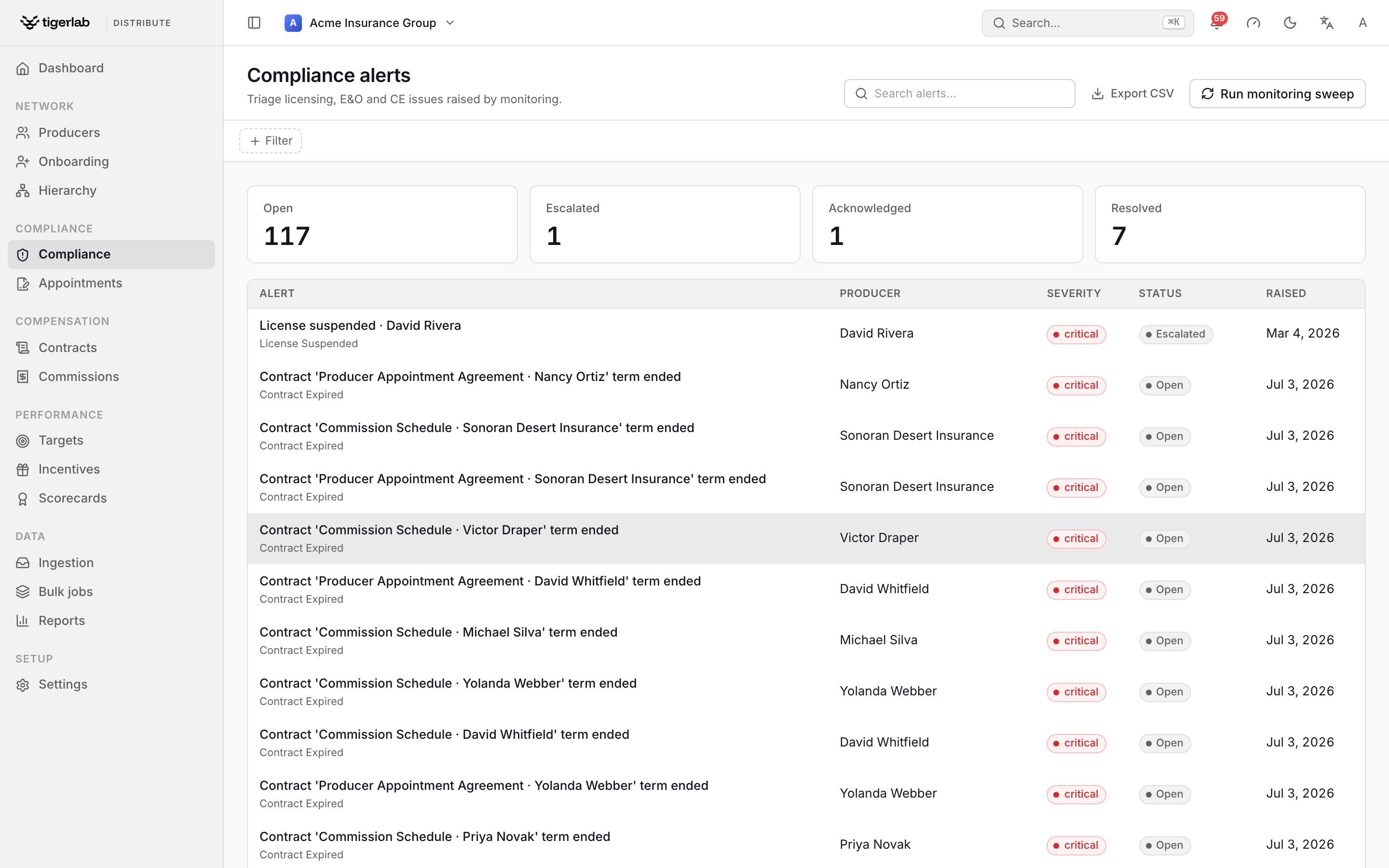
The Compliance alerts triage queue. Severity and status pills flag each alert; Run monitoring sweep re-scans licenses and E&O to raise new alerts on demand.
How alerts are raised
A monitoring sweep scans every active license and E&O coverage in your tenant and raises alerts:
Alert type |
Severity |
Raised when… |
|---|---|---|
License expired |
Critical |
A license’s expiration date has passed. |
License expiring |
Warning |
A license expires within the warning window (default 30 days). |
CE deadline approaching |
Error |
A license’s CE deadline has passed. |
E&O expired |
Critical |
An E&O coverage’s expiration date has passed. |
E&O expiring |
Warning |
An E&O coverage expires within the warning window. |
Additional alert types exist for license suspensions, CE deficiencies and expiring appointments. Severities are Info, Warning, Error and Critical.
Sweeps run on a schedule in the background, and you can run one on demand: click Run monitoring sweep — a toast reports the outcome, for example “4 issues across 12 producers”. Every run is logged with its counters (producers checked, issues found, and per-category counts). The same sweep also checks contract terms and document integrity (Contracts & e-signature) and re-derives each producer’s payability verdict (Commissions: plans, statements, splits & payouts).
Note
Alerts are de-duplicated: if an open alert already exists for the same producer, alert type and credential, the sweep will not raise a second one. Alerts are created by the system — you triage them, you do not create them.
Triaging an alert
Open an alert to land on its detail page (its own URL, with a breadcrumb back to the Compliance queue). A one-line status summary sits under the title, and below it you see the alert’s description, the producer (linked to their detail page), what the alert concerns (a license, E&O coverage or the producer) with its remediation, when it was raised, and the triage timestamps (acknowledged / escalated / closed).
The alert lifecycle:
open ──▶ acknowledged ──▶ resolved
  │            │      └──▶ dismissed
  └──▶ escalated ──▶ resolved / dismissed
While an alert is open (status open, acknowledged or escalated) the page header offers:
Acknowledge (only while open) — “we have seen this and are on it”. Records who acknowledged and when.
Escalate (while open or acknowledged) — raise it to management attention. Records who it was escalated to and when.
Resolve — the issue has been fixed (license renewed, E&O reinstated…). Enter optional Resolution notes inline on the page, then click Resolve alert.
Dismiss — the alert is a false positive or not actionable. A Reason is required, entered inline; click Dismiss alert.
(Renewing the concerned E&O from its card still opens a form modal.)
Resolved and dismissed are terminal — the alert leaves the open queue (and stops counting against the producer’s compliance score, see Scorecards & producer tiers). Invalid transitions are refused, e.g. “Cannot acknowledge an alert with status ‘Resolved’.”
How you hear about alerts
You do not have to keep the queue open:
Critical alerts notify immediately — owners and managers get an in-app notification (the bell in the top bar) the moment a critical alert is raised.
The daily compliance digest rolls up all other new alerts into one morning notification and email for owners and managers — “Compliance digest: N new issues”. Each alert is announced exactly once, never re-announced. The digest can be turned off per tenant (Tenant setup & administration).
Producers can be emailed directly about the issues only they can fix — an expiring license, lapsed E&O, CE deficiencies — as a personal “Action needed” summary, if producer notifications are enabled. Producers with portal access also see their alerts there (The producer portal).
The alert table itself supports search and Export CSV (for example to circulate a weekly exceptions list), and the Compliance alert aging report ranks unresolved alerts oldest-first (Reports & data exports).
Recommended routine
Watch the Open compliance alerts counter on the Dashboard.
Work the Compliance queue top-down — escalated and critical first.
Acknowledge what you are working on so colleagues see it is claimed.
Fix the underlying credential (renew the license, obtain the E&O certificate), then Resolve with a note.
Dismiss only with a reason — dismissals are audited.
Probation
Producers can be placed on a probation period (with start/end dates, a review date and a reason) as a compliance or performance measure; its outcome is recorded as completed, failed or cancelled. Probation is managed by administrators.