Reports & data exports
The Reports screen (sidebar → Reports) offers “operational extracts built server-side from live tenant data” — canned CSV reports you pull on demand. Any active staff member can download any report; the data is always scoped to the current tenant.
Each report is one row: its name and description, its parameters (if
any) inline, and a Download CSV button. Files are named
<report>-<date>.csv.
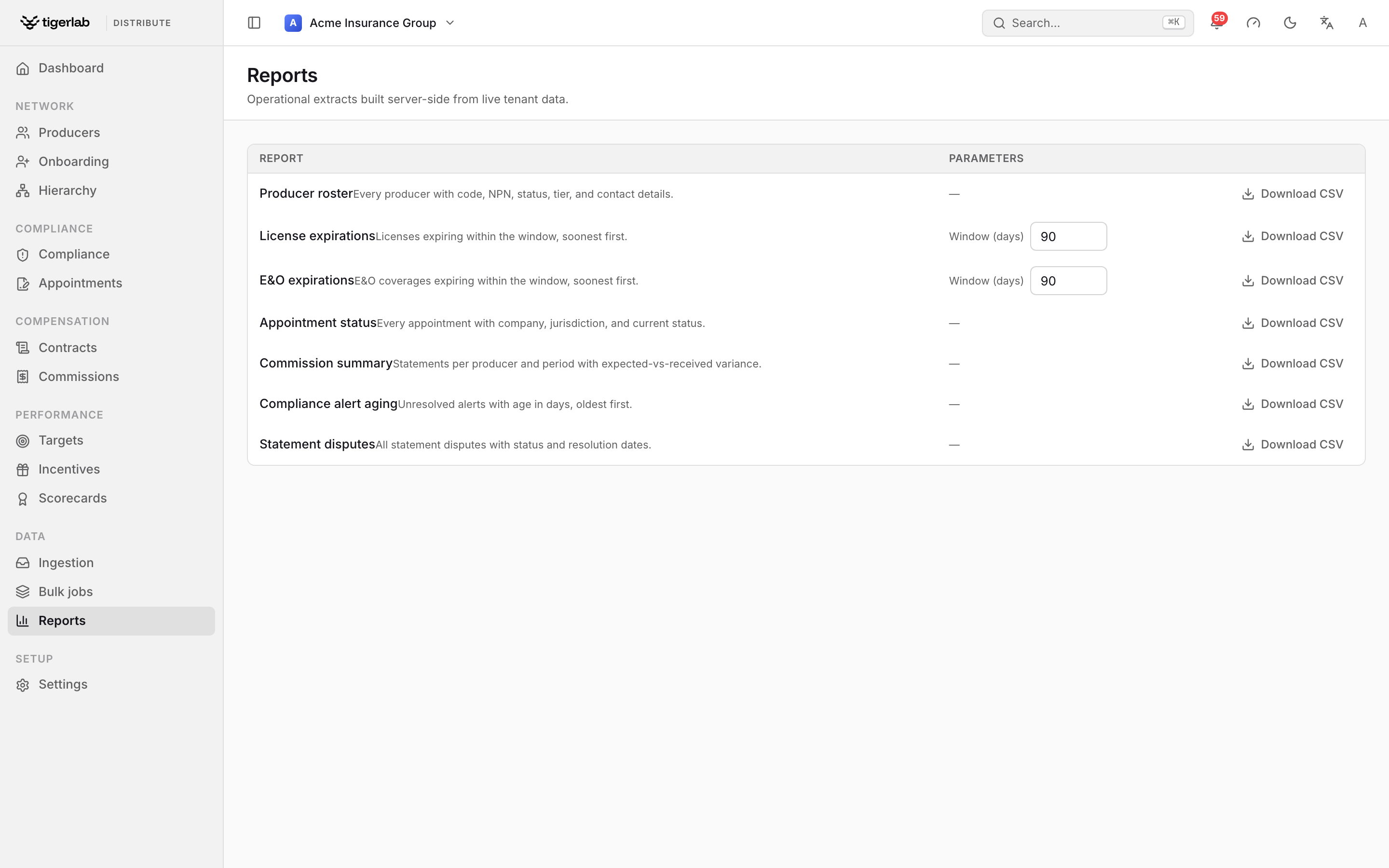
The Reports screen. Each row is a canned extract; reports that take a parameter (for example a Window (days)) expose it inline before you download.
The report catalog
Report |
What it contains |
Parameters |
|---|---|---|
Producer roster |
Every producer with code, NPN, status, tier and contact details. |
— |
License expirations |
Licenses expiring within the window, soonest first, with CE deadlines. |
Window (days), default 90 |
E&O expirations |
E&O coverages expiring within the window, soonest first. |
Window (days), default 90 |
Appointment status |
Every appointment with company, jurisdiction, current status and whether it was JIT-filed. |
— |
Commission summary |
Statements per producer and period with currency, expected-vs-received variance (blank where the period is unverified) and a base-currency equivalent converted at period-end rates — a row whose rate is missing says so rather than showing a blank. See Commissions: plans, statements, splits & payouts. |
— |
Compliance alert aging |
Unresolved alerts with age in days, oldest first (resolved and dismissed excluded). |
— |
Statement disputes |
All statement disputes with status, message and resolution dates. |
— |
Reports are pulled on demand — there is no scheduling. For recurring
needs, the same extracts are available to your systems at
GET /api/reports/ and GET /api/reports/<key>/download/.
Exporting what you see
Independently of the report catalog, the Producers, Appointments, Compliance and Contracts screens have an Export CSV button that downloads the current list — respecting the search box, so you can filter first and export exactly that slice.
Finding a record fast
The global search palette (Search… in the top bar, or ⌘K) searches producers, contracts, appointments, licenses, statements and compliance alerts by name or number (a couple of characters is enough) and jumps straight to the matching record — often quicker than a report when you are after one specific thing.